
Revolutionize the way you extract and save all the built-in MECM report queries with my quick and easy script. Say goodbye to manual extraction and hello to efficiency! 👌
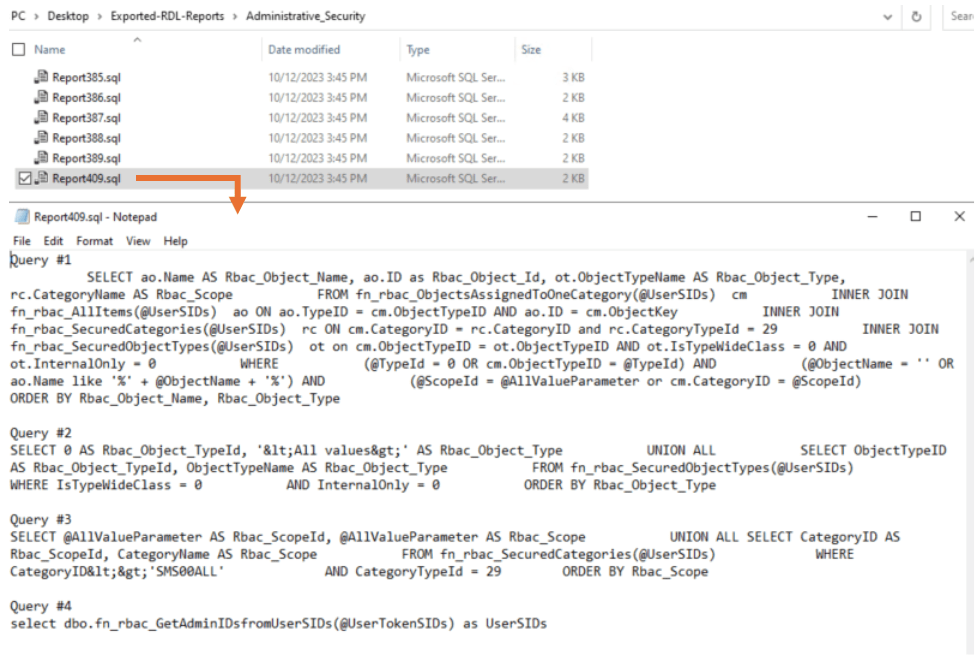
The script will run through each RDL file and extract all the queries into its own .sql file named after the originating rdl filename. You can now see what happens under the hood for every report, which can used as a learning guide or help you develop / customise your own reports. Sick! 🤘
Just head to your server where the SSRS reports are located (look for this path: Program Files\SMS_SRSRP\Reports) and open a PowerShell ISE console (elevated as Admin).
Navigate to my script file and open it. Head to line section which says: [ Specify the path to your RDL files ] and change the path to match your environment setting. The default output folder & files are saved to the desktop, but you can edit this path also.
Now the only thing left to do is to fire this baby and wait for all your queries to export. Have fun! 😄
Sample script output:
 mattGPT
Leave a comment